Master
CorelDRAW
Design
From vector basics to professional brand identity, print layouts, packaging and commercial illustration — become a job-ready graphic designer in 4 months at INFONEXUS IT & Designing Institute, Indore.
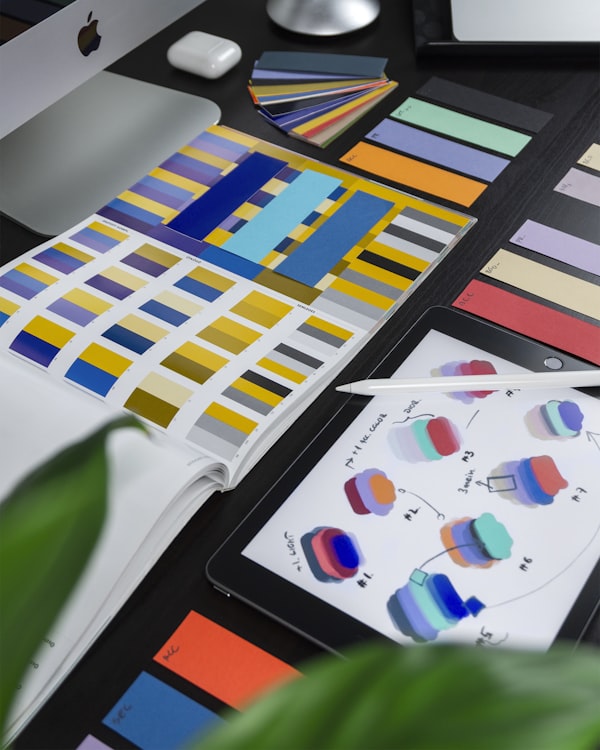
What is CorelDRAW & Why Learn It?
CorelDRAW is the world's leading vector graphic design software, used in print production, brand identity, packaging, and commercial illustration. Over 3 million designers worldwide rely on it for professional output.
At INFONEXUS IT & Designing Institute, our CorelDRAW course takes you from zero to a job-ready designer through structured modules, real client briefs, and a professional portfolio that employers trust.
- Complete vector drawing, curves & node editing mastery
- Logo design, brand identity & style guide creation
- Print production — brochures, flex boards, hoardings, visiting cards
- Typography mastery & font management for commercial design
- Packaging design for FMCG products with print-ready files
- CorelDRAW 2024 with AI-powered design tools
- 12+ live client projects for your portfolio
Complete Design Toolkit
Every tool a professional graphic designer uses in 2025 — all taught in one comprehensive program.
3 Tracks. 1 Creative Career.
Structured, industry-aligned modules designed to take you from beginner to professional graphic designer — job-ready with a real portfolio.
CorelDRAW Interface & Workspace Setup
- Introduction to CorelDRAW 2024 interface, toolbars & panels
- Document setup: page size, resolution, color mode (CMYK vs RGB)
- Workspace customization & keyboard shortcuts for efficiency
- Rulers, grids, guides & snapping for precision design
- Understanding print vs digital document setup
Drawing Tools & Vector Fundamentals
- Rectangle, ellipse, polygon, star & spiral drawing tools
- Freehand, Bézier & Pen tool — creating precise curves & paths
- Node editing: adding, deleting, cusp, smooth & symmetrical nodes
- Shape tools: knife, eraser, smear, roughen & attract/repel
- Boolean operations: weld, trim, intersect, simplify & back minus front
Color Theory & Fill/Stroke Mastery
- Color theory fundamentals: hue, saturation, value & color harmony
- Uniform fill, fountain fill (linear, radial, conical, square)
- Pattern fills, texture fills & PostScript fills for creative effects
- Outline Pen: line width, dash patterns, arrowheads & line caps
- CMYK, RGB, Pantone & spot color usage for print-ready design
Typography Essentials in CorelDRAW
- Text tool: artistic vs paragraph text, character & paragraph formatting
- Font selection, pairing principles & typography hierarchy for design
- Text on path, inside shape & flowing text in multi-column layouts
- Drop caps, pull quotes & editorial text styling techniques
- Converting text to curves for print output & font independence
Objects, Layers & Object Management
- Object Manager: layers, sublayers & multi-layer document organization
- Grouping, combining, locking & aligning multiple objects
- Transformation: position, rotate, scale, skew & mirror with precision
- PowerClip: placing objects inside containers for creative layouts
- Symbols, pattern objects & repeating design elements efficiently
Basic Design Projects — Visiting Card & Letterhead
- Designing a professional visiting card from scratch — front & back
- Creating company letterhead with logo placeholder & typography
- Setting up bleed, trim marks & slug for print-ready export
- Export formats: PDF (print), EPS, SVG, PNG & JPEG for different uses
- Print preflight check & PDF/X-1a production standards
Basic Level Outcome: Students master CorelDRAW's complete toolset, color system, and typography — creating visiting cards, letterheads, and basic vector artwork ready for print.
Logo Design — Concept to Delivery
- Logo design principles: simplicity, scalability, memorability & versatility
- Types of logos: wordmark, lettermark, pictorial, abstract, mascot & combination
- Sketching concepts, mood boarding & client brief interpretation
- Building logos with geometric precision using CorelDRAW grids & guides
- Logo variations: full color, monochrome, reversed & favicon versions
- Delivering logos: AI, EPS, SVG, PNG with usage guidelines
Brand Identity System Design
- Brand identity elements: logo, color palette, typography & imagery style
- Primary & secondary color palette selection with Pantone mapping
- Typography system: primary font, secondary font & digital fallback fonts
- Brand style guide (brand book) layout & design in CorelDRAW
- Brand applications: stationery, envelopes, folders & corporate collateral
- Brand consistency across print, digital & environmental touchpoints
Brochure, Flyer & Multi-Page Layout Design
- Brochure formats: tri-fold, bi-fold, z-fold & gatefold layout design
- Grid systems, baseline grid & modular layout for editorial design
- Image placement, masking & photo integration with text flow
- Corporate brochure design: 12-page A4 with proper hierarchy
- Flyer & poster design for events: hierarchy, call-to-action & urgency
- Creating master pages, page numbers & multi-page document navigation
Outdoor & Large Format Print Design
- Flex board design: 10ft × 4ft, 20ft × 8ft with correct DPI for large print
- Hoarding, banner & billboard design with visual impact principles
- Vehicle wrap design basics: bus, car & auto-rickshaw template design
- Roll-up banner, pop-up display & exhibition standee design
- Large format color management: converting RGB artwork to CMYK for flex print
- File preparation & sending for print shops: resolution, bleed & file formats
Advanced Effects & Illustration Techniques
- Interactive blend, contour & distortion effects for creative design
- Envelope distortion & perspective for 3D-looking objects
- Mesh fill for photorealistic vector shading & gradient maps
- Transparency, lens effects & drop shadows for depth & realism
- Vector illustration: drawing characters, icons & decorative elements
- Tracing bitmap images: PowerTRACE for converting photos to vectors
Social Media & Digital Design Kit
- Social media design: Instagram posts, stories, Facebook covers & thumbnails
- YouTube thumbnail design with engagement-optimized visual hierarchy
- Social media brand kit: consistent templates for daily content
- Email header, newsletter layout & email signature design
- Digital banner ads: web banners in standard IAB sizes
- Exporting RGB for screen: PNG, JPEG, WebP & optimized SVG
Advanced Level Outcome: Students can design complete brand identities, multi-page brochures, outdoor hoardings, and social media kits — ready for agency employment or freelance work at ₹3–6 LPA.
Packaging Design — FMCG to Premium
- Product packaging fundamentals: structure, die-line & mockup creation
- Box packaging: cereal box, gift box, medicine pack & corrugated carton
- Pouch & sachet design: food packaging, cosmetics & pharmaceutical
- Label design: wine labels, spice labels, shampoo & product stickers
- Regulatory compliance: FSSAI, barcode placement & ingredient list layout
- Preparing final packaging files for printing: die-cut, crease & bleed marks
Magazine, Catalogue & Book Layout Design
- Magazine layout: cover, table of contents, feature spreads & ads
- Product catalogue: 32-page catalogue with pricing, product images & specs
- Book design: cover design, chapter headers, body text & indexes
- Annual report design: financial data visualization, infographics & charts
- Long-document navigation: master pages, styles & automated page numbers
- Prepress preparation: color separation, trapping & imposition basics
Advanced Typography & Print Typography
- Kerning, tracking, leading & optical margin alignment for print quality
- OpenType features: ligatures, swashes, small caps & stylistic alternates
- Typographic grids: baseline grid alignment for professional layout
- Custom lettering & logotype design using modified fonts in CorelDRAW
- Font licensing for commercial use & managing font libraries
- Typography for advertising: headline impact, readability & visual flow
CorelDRAW 2024 AI Features & Automation
- AI-powered Object Selection & Background Removal with one click
- Smart Image Upscaling for low-res client photos to print quality
- AI Style Transfer & Artistic Media for creative illustration effects
- Macro recording & CorelDRAW BASIC scripting for repetitive tasks
- Batch processing: resizing, exporting & watermarking 100 files at once
- CorelDRAW Cloud: asset sharing, team collaboration & version history
Print Production & Pre-Press Management
- Color management: ICC profiles, soft proofing & press-ready PDF export
- Imposition software integration: arranging pages for sheet printing
- Trapping & overprinting: preventing gaps in multi-color print jobs
- Variable data printing (VDP): personalized business cards & mailers
- Print costing & client quotation: understanding print specifications
- Managing print vendor relationships & quality control inspection
Portfolio, Freelancing & Career Launch
- Building a professional design portfolio: selecting & presenting work
- Creating Behance profile, Dribbble & Instagram portfolio for design jobs
- Freelancing on Fiverr, Upwork & 99designs: profile setup & first order
- Design pricing guide: hourly rate, per-project & retainer models for India
- Client communication, brief interpretation & revision management
- INFONEXUS placement drives: resume, interview prep & company referrals
Professional Level Outcome: Students can handle complete packaging projects, multi-page publications, DTP production, and AI-assisted design — ready for senior designer roles or profitable freelancing at ₹5–12 LPA.
Creative Studio & Labs


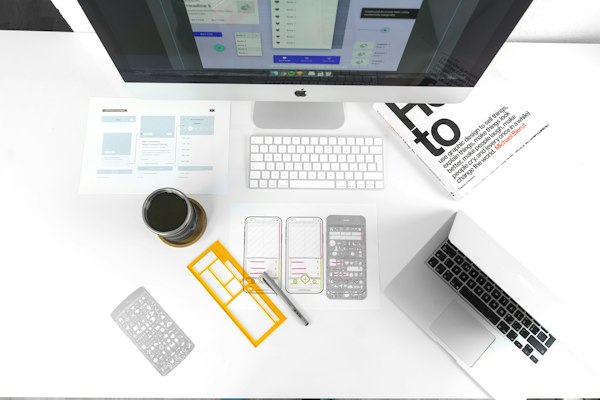

The INFONEXUS Creative Advantage
Everything you need to go from design beginner to a confident, employed graphic designer — built around real industry outcomes.
Industry-Level Projects
Work on 12+ real client briefs — from brand identity to packaging and magazine layouts — building a portfolio that actually gets you hired.
Expert Design Trainers
Learn from working graphic designers with 7+ years of active agency and freelance experience — not just software trainers.
Real Print Production
Students actually send files to print shops and review physical outputs — learning real-world print production workflow from inside out.
AI-Powered Design (2024)
Corel's AI features — smart background removal, image upscaling, style transfer — taught so you stay ahead of 90% of designers in the market.
100% Placement Support
Dedicated career cell: portfolio review, resume building, mock interviews, and direct referrals to design agencies, printing companies & studios in Indore and beyond.
Freelance Launch Training
Complete Fiverr/Upwork setup, pricing strategy, client communication scripts, and your first order secured before you even graduate.
Jobs & Salaries After This Course
CorelDRAW-skilled designers are in constant demand across print agencies, advertising firms, FMCG packaging companies, and digital studios.
| Job Role | Experience | Avg. Salary (India) | Key Skills | Market Demand |
|---|---|---|---|---|
| DTP Operator / Junior Designer | 0–1 Year | 1.8–3 LPA | CorelDRAW, Basic Print | High |
| Graphic Designer | 1–3 Years | 2.5–5 LPA | CorelDRAW, Branding, Print | Very High |
| Brand Identity Designer | 2–4 Years | 4–8 LPA | Logo, Brand Book, Identity | Very High |
| Packaging Designer | 2–5 Years | 4–9 LPA | CorelDRAW, Die-lines, FMCG | Very High |
| Print Production Manager | 4–7 Years | 6–12 LPA | Prepress, Color Mgmt, Corel | High |
| Creative Art Director | 5+ Years | 8–18 LPA | Full Creative Suite, Management | High |
| Freelance Graphic Designer | 1+ Year | ₹500–3,000/hr | CorelDRAW, Fiverr, Upwork | Global |
What Our Graduates Say
"The CorelDRAW course at INFONEXUS is unmatched in Indore. The packaging design module was eye-opening — I had never thought about die-lines, bleed or FSSAI compliance before. Placed at a leading FMCG packaging company in Pune."
"I joined with zero design experience and now I run my own branding studio. The brand identity module gave me a complete process — from logo to brand book. The freelance module helped me land my first client on Fiverr within 2 weeks!"
"The AI tools module in CorelDRAW 2024 was something no other institute taught. I could outperform candidates who'd been using CorelDRAW for years simply because I used the AI features smartly. Highly recommend the Professional track!"
Common Questions
Everything you need to know before enrolling in the CorelDRAW course at INFONEXUS.
Visit Our Campus
INFONEXUS IT &
Designing Institute
Become a Graphic Designer
the World Needs
Join 400+ INFONEXUS graduates who are now designing brands, packaging, and print work at agencies across India. Your creative career starts with one free demo class.